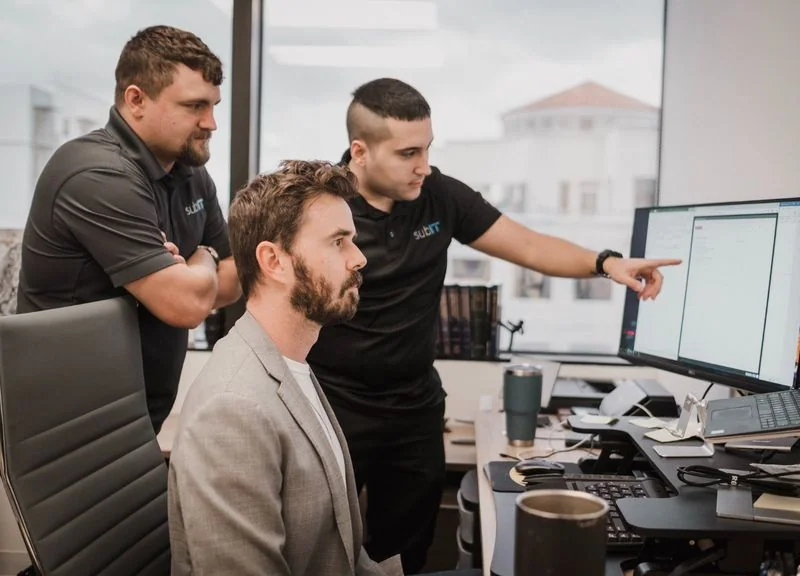

Grow your business without growing the busywork.
Through SubAI, we help Florida businesses automate the intake, document processing, follow-ups, and reporting that slow their teams down. SubAI builds the automation, keeps it running, and shows you how it performs.
Book a discovery call with SubAI
Bring one process that takes too long. We’ll start there.
How much of the day goes into moving work along?
A document arrives by email. Someone saves it, copies the details into another system, checks what’s missing, and reminds the next person to take over.
When that happens throughout the day, across several people or offices, the handling adds up. Customers wait, employees chase updates, and managers spend time finding out where things stand. It is frustrating to have a busy team and still see work piling up.
SubAI examines those repeated steps and works out which ones software can handle. The goal is to give your team more time to serve customers and handle new work. Your people stay involved where decisions, exceptions, or professional judgment require them.
Managed AI through SubAI, introduced by SubIT
SubIT has supported Florida businesses since 2015. Its managing partner, Manuel P. Carvajales, founded SubAI as a separate company focused on building and managing business automation.
SubIT provides managed IT services and cybersecurity. SubAI delivers the automation services described on this page.
Your discovery call and any resulting automation engagement are with SubAI. Access and technical responsibilities are coordinated as needed with your internal IT team or existing provider.
What could automation handle for your business?
The best starting point is usually a recurring process with clear steps and a result you can measure. These are examples to explore during discovery.
Move inquiries into the next step
Capture incoming information, flag missing details, and prepare the next action for the right person. Help your team see which inquiries still need attention.
Reduce the handling around documents
Organize incoming files, extract agreed information, and prepare it for review or entry into another system. Route incomplete or uncertain results to a person.
For law firms and CPA firms, this can mean examining the work around intake, client document collection, and preparing files for professional review.
Keep follow-ups moving
Use a due date, incoming request, or change in status to create the next task or prepare a reminder. Agree in advance which actions can happen automatically and which need approval.
Make reporting less of a project
Bring information from your business systems into a recurring report. Give managers a view of completed work and outstanding items without asking someone to assemble it from scratch each time.
Each opportunity is assessed against your actual process, available system access, and the work your people would still need to do.
Start with one process worth improving
1. Talk through the work
The discovery call starts with what happens today: what comes in, who handles it, and where it waits. What could your team get to if that work moved faster?
You do not need a technical plan or a list of AI tools.
2. Get a written recommendation
If there is a worthwhile opportunity, the next step is a paid diagnostic. SubAI reviews the process, assesses what automation could handle, and recommends a starting point.
You receive a written report with the opportunities and proposed pricing. You keep it whether or not you proceed. If the opportunity does not justify an engagement, the report says so.
3. Build and test the automation
Before work begins, you and SubAI agree in writing on the scope, monthly fee, and success test. The test might measure turnaround time, accuracy, or whether completed work meets an agreed standard.
The build and proving period are unbilled. Automation billing starts when the agreed test is met. There is no implementation fee; the diagnostic is a separate paid service.
Book a discovery call with SubAI
Keep the automation working as your business changes
After launch, SubAI monitors performance, handles maintenance and fixes, and works through improvements within your agreed engagement.
Standard engagements include a weekly report, or monthly if you prefer. You can see what completed successfully, how it performed, and what needs attention.
Questions about managed AI services in Florida
What does a managed AI services provider actually do?
SubAI builds and maintains automation for a defined business process. The work includes connecting relevant systems, testing results, monitoring the automation, and handling fixes as the process or its software changes.
AI is used where it helps. Some steps are better handled by ordinary software rules.
Can SubAI work alongside our current IT provider?
Yes. SubAI focuses on the agreed automation and coordinates the access and technical requirements with your internal IT team or provider. Responsibilities are defined before building so everyone understands who manages the workflow and who supports the systems it depends on.
Can the automation connect to software we already use?
SubAI assesses that before recommending a build. It reviews the systems involved, the information they need to exchange, and the access each system allows.
That may include Microsoft 365, document management, customer records, or other business software. Connections to specific products are confirmed during scoping.
Can we use automation across several locations?
A workflow can be assessed across multiple offices, including locations that use different systems or handle work differently. SubAI reviews those differences before agreeing on the scope.
The starting point may be one process at one location. Any wider rollout is planned around what has been tested, the access available, and the responsibilities at each office.
Where does our business information go?
Before building, SubAI establishes which information the workflow needs, which services would process it, and how access, storage, and retention will be handled. Those requirements are agreed for the specific workflow.
For businesses handling confidential or regulated information, any additional industry-specific diligence is scoped and priced before the affected work begins. Your team’s required professional review remains part of the process.
What happens when an automated result needs checking?
You and SubAI decide what can run automatically and what must go to a person. Testing includes representative work and known exceptions.
The workflow includes rules for routing uncertain, incomplete, or out-of-scope results for review. Those exceptions remain visible in reporting.
How much do managed AI services cost?
The diagnostic costs $2,000 once. Custom managed engagements start at $5,000 per month. Smaller deployments using a suitable existing solution start at $2,000 per month, subject to fit and capacity.
Automation billing starts when the agreed success test is met. Larger engagements are scoped and priced before building. The diagnostic is credited against the first month if building starts within 30 days.
See SubAI’s pricing and service details
What if the automation does not meet its success test?
SubAI can offer one fix cycle of up to 30 additional days at its cost, which you may decline. If the automation never passes, it is removed and you are not billed for it.
The diagnostic remains payable because it provides your written report. The proposal defines the test and any conditions that pause the proving period.
How long does implementation take?
The schedule depends on the process, the systems involved, and the access and reviews needed from your team. SubAI sets the planned timeline in the proposal, including testing on real work.
Required access or approval delays can affect that schedule. Those dependencies are identified before the build begins.
What support is included?
The managed service includes monitoring, maintenance, fixes, and support for the agreed automation. Support hours, escalation arrangements, and response commitments are defined in the proposal.
If a workflow needs attention outside your normal business hours or serves offices in other time zones, bring that requirement into the discovery conversation so it can be assessed and priced appropriately.
How will we know whether the automation is helping?
Each workflow has an agreed measure, such as completed requests, turnaround time, or results accepted after review.
Where an agreed baseline supports it, reporting also estimates staff time released after accounting for remaining review and correction. That estimate is distinguished from actual cash savings. Revenue estimates are reported separately.
Give your team more room for the work ahead
Bring the document process, follow-up routine, or recurring report that keeps taking people away from serving customers. SubAI will help you decide whether there is a worthwhile place to start.
Book a discovery call with SubAI
The discovery call is separate from the paid diagnostic. You decide whether to proceed after the conversation.