

When your business depends on technology, moving to the cloud should feel simple and secure. According to Auvik, as of 2024, 52% of companies have migrated a majority of their IT environments to the cloud, including infrastructure, applications, and data analytics.
SubIT takes care of the details, so you get more than just a cloud solution. You get the fast, professional support that you know and trust. Our team handles everything from cybersecurity to daily IT management, making sure your systems run smoothly, regardless of if you have one location or several across different time zones.
Key Takeaways
- Cloud migration moves your business systems from on-site servers to secure, flexible cloud platforms.
- The right strategy depends on your company’s needs, budget, and goals.
- Planning ahead and choosing the right tools help avoid common risks like downtime or data loss.
- Strong support and proven knowledge make the process smoother and more reliable.
What Is Cloud Migration?
Cloud migration refers to the process of transferring data, applications, and IT resources from on-premises systems to a cloud computing environment.
Businesses often shift to the cloud to save money, boost flexibility, and improve security. This move can involve transferring everything to a single public cloud provider, using multiple clouds, or mixing cloud and on-premises solutions.
Cloud migration includes evaluating current systems, deciding what should move, planning for security, and making sure everything works smoothly in the new environment. Companies may move their entire infrastructure, specific workloads, or just certain applications.
A successful cloud migration leads to better performance, lower maintenance costs, and faster access to new technologies. The process also helps companies stay competitive by making it easier to adapt to changing business needs and scale operations up or down as needed.
What is the Difference Between Cloud Migration And Modernization?
Cloud migration is moving your existing systems to the cloud. Modernization means updating or redesigning your applications to work better in a cloud environment.
How Long Does a Typical Migration Take?
Most small to medium businesses complete a migration in a few weeks to a few months. The timeline depends on the number of systems, complexity, and chosen strategy.
Why Cloud Migration Matters for Modern Businesses
Cloud migration gives businesses a faster way to work, adapt, and grow. Companies move to the cloud to reduce costs, improve security, and keep up with competitors.
Based on data from Tech Price Crunch, 87% of enterprises are now using a hybrid cloud strategy in 2024, showing just how much organizations rely on cloud services to keep up with their competitors. Using cloud services helps teams access tools and data from anywhere, making remote work and global teamwork possible.
Security is another big reason. Leading cloud providers invest heavily in protecting data, so moving to the cloud often means stronger safeguards than most businesses can build on their own. Costs are more predictable because you only pay for what you use, and there’s no need to maintain expensive hardware.
Businesses also migrate to support new technology like artificial intelligence, big data analytics, and Internet of Things (IoT) devices. The cloud makes it easier to experiment and launch new services without huge up-front investments.
Some industries use the cloud to meet strict compliance standards or support high-traffic online platforms. Cloud migration makes it easier to adjust quickly without major disruptions.
Cloud Migration Process: Step-by-Step Guide
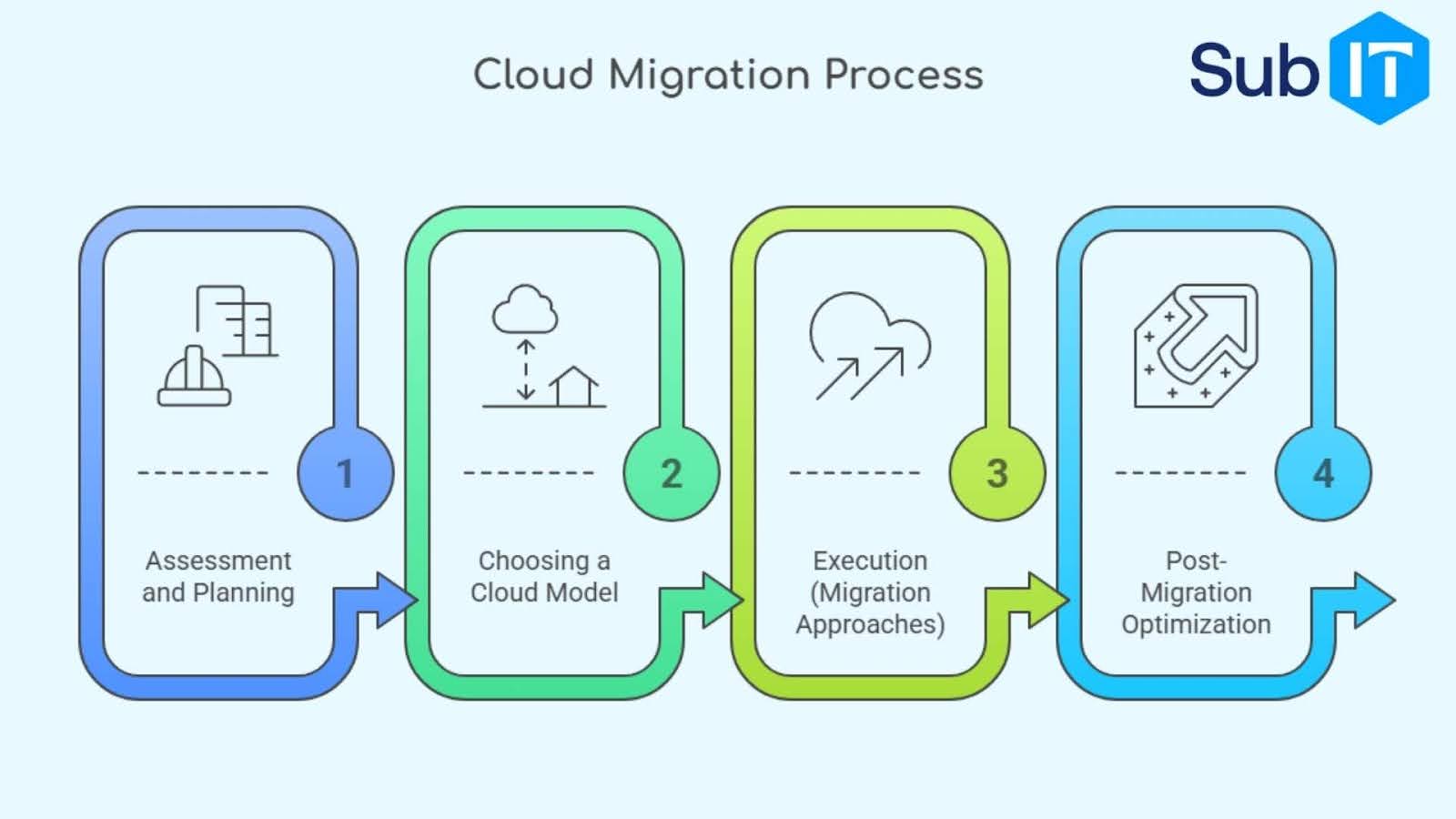
Cloud migration happens in clear stages. Each step helps reduce risk and keeps the project on track.
Phase 1: Assessment and Planning
Businesses start by reviewing what they have. This means checking current applications, data, and systems to see what makes sense to move. Teams look for any outdated technology, security risks, and special requirements.
Phase 2: Choosing a Cloud Model
The next decision is where to move things. Companies can pick public cloud (like AWS, Microsoft Azure, or Google Cloud), private cloud, or a mix called hybrid cloud. The right choice depends on budget, data sensitivity, and how much control the company wants.
Phase 3: Execution
When it’s time to move, there are several ways to get data and applications into the cloud:
- Lift-and-shift: Move everything as it is, with no changes.
- Replatforming: Make small adjustments to optimize for the cloud.
- Refactoring: Redesign applications to take full advantage of cloud features.
Phase 4: Post-Migration Optimization
Once everything is in the cloud, the focus shifts to fine-tuning. This step involves checking for any issues, optimizing performance, and making sure costs stay under control. Security settings get a fresh review, and teams look for ways to use new cloud features.
Comparing Cloud Migration Strategies
Moving to the cloud is not a one-size-fits-all project. Different strategies fit different business needs. Choosing the right method helps companies avoid surprises and meet their goals.
Migration Approaches: Pros, Cons, and Best Fit
| Strategy | Pros | Cons | Best For |
| Lift-and-Shift | Fast, low upfront cost | May not use cloud features | Simple moves, quick wins |
| Replatforming | Better performance, flexible | Some changes required | Medium complexity, upgrades |
| Refactoring | Optimized for cloud, scalable | Time-consuming, higher cost | Long-term gains, custom needs |
Cloud Migration Challenges and How to Overcome Them

Cloud migration comes with its own set of hurdles. Knowing what to expect helps businesses prepare and avoid common mistakes.
Top 5 Risks and Solutions
- Data loss: Use backups and test data transfers before the final move.
- Downtime: Plan migrations during off-peak hours and set up fallback options.
- Security gaps: Review and update security settings in both old and new environments.
- Unexpected costs: Monitor usage and set budgets to prevent surprise bills.
- Compliance issues: Make sure cloud providers meet your industry’s standards.
Start Your Cloud Migration with Confidence
Switching to the cloud can open new possibilities for your business, from better security to easier teamwork.
SubIT’s people-first support gives you a smooth, worry-free migration. If you want a smooth transition and IT help that feels personal, visit our contact page. Take the first step today and let us handle the details, so you can focus on what matters most.